備忘
フォレストのサイトの画像はギャラリーとブログに掲載したやつ以外は軽量化完了。ギャラリーは開発環境出来たからこれからやる。
開発環境できた~~~~~!!!!!
これでスキン弄りが捗るぞ。今までやってないのが変といわれれば、それはそう。ぐうの音もでない。
開発環境できた~~~~~!!!!!
これでスキン弄りが捗るぞ。今までやってないのが変といわれれば、それはそう。ぐうの音もでない。
備忘
普通開発環境作るならローカルPC上でやるよなあと今更気がついたので、夜は以下を参考に開発環境兼テスト環境を作る。全てを横着しすぎていましてよ。流石にちゃんとしなきゃな……。
あとサブドメインは仕様を勘違いしていたので、ローカルでやろう。
【参考】
てがろぐCGIをローカルPCで動かす方法 - Sakura scope
あとサブドメインは仕様を勘違いしていたので、ローカルでやろう。
【参考】
てがろぐCGIをローカルPCで動かす方法 - Sakura scope
備忘
summaryのテスト兼出力確認用。
隠すボタンはPCとスマホ別にmarginの設定しないと表示位置のバランスが、う〜ん。ってなってたけどsummaryならワンチャン楽かな〜?というあれ。あと畳むボタンを追っかけなくて良いのがアドか。どういうふうに装飾しようかな。
隠すボタンはPCとスマホ別にmarginの設定しないと表示位置のバランスが、う〜ん。ってなってたけどsummaryならワンチャン楽かな〜?というあれ。あと畳むボタンを追っかけなくて良いのがアドか。どういうふうに装飾しようかな。
続きを読む
もしも日曜までに短編書ききれたらここの改修をしたい。下端に行くボタン作るとかsummaryの調整とかしたいな〜。実装したいものを実装しないと放置になってしまう
備忘
#装丁
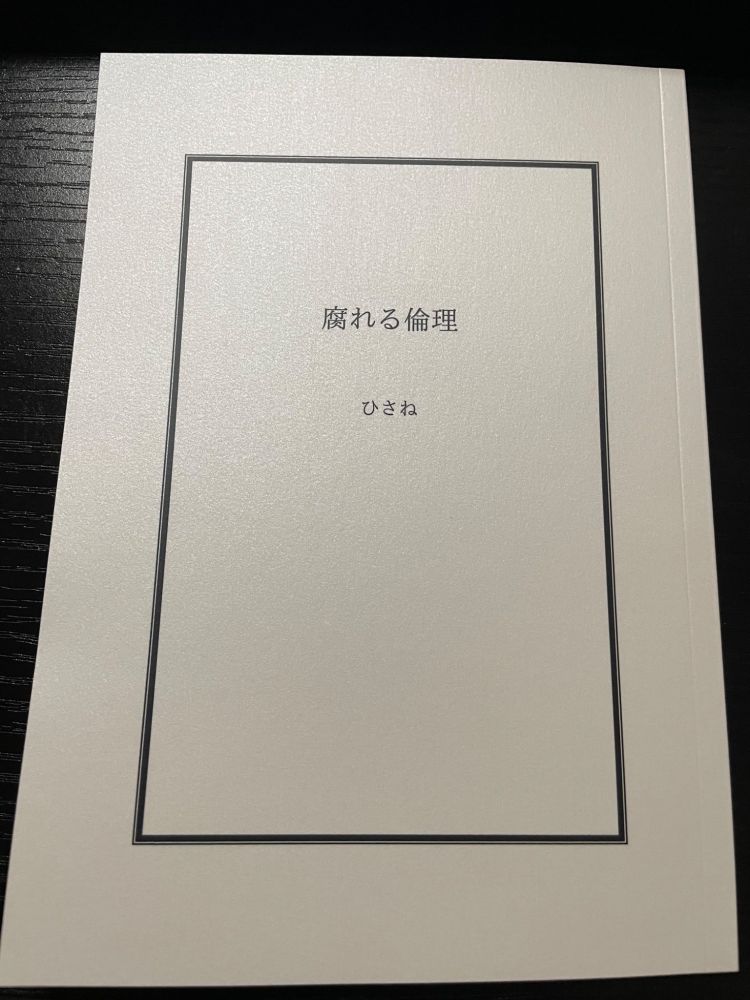
『腐れる倫理』
個人用に刷った死体を埋めるカップルSS集。
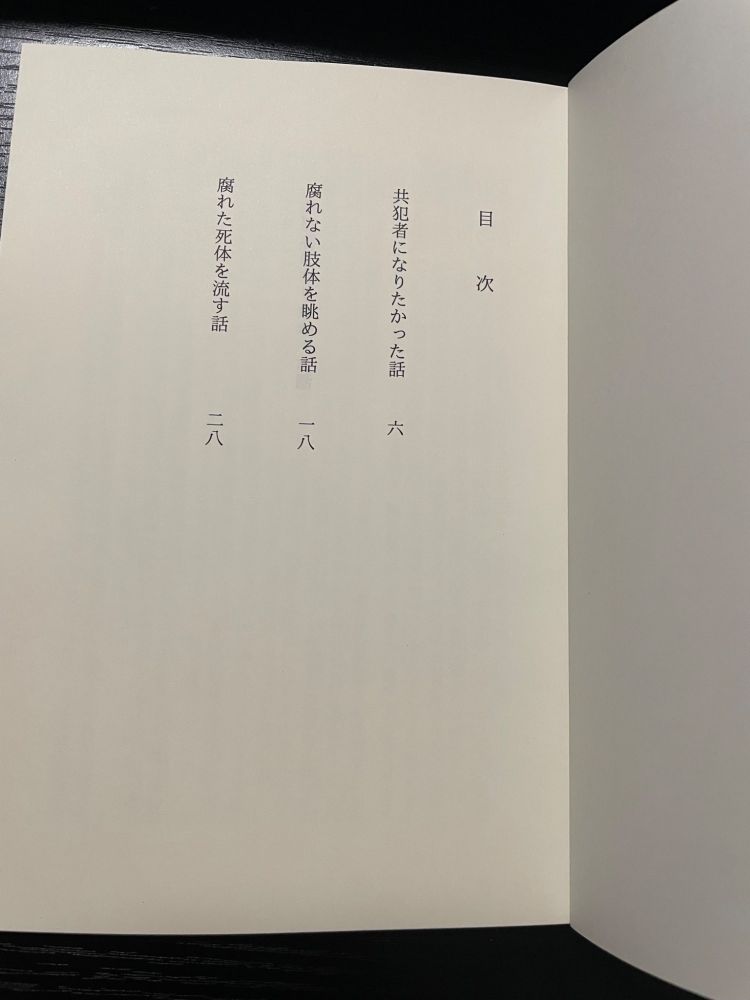
<掲載話>
1.共犯者になりたかった話(IF世界線)
2.腐れない肢体を眺める話(IF世界線)
3.腐れた死体を流す話
<実物写真>
<印刷所(敬称略)・仕様>
印刷所:ちょ古っ都製本工房
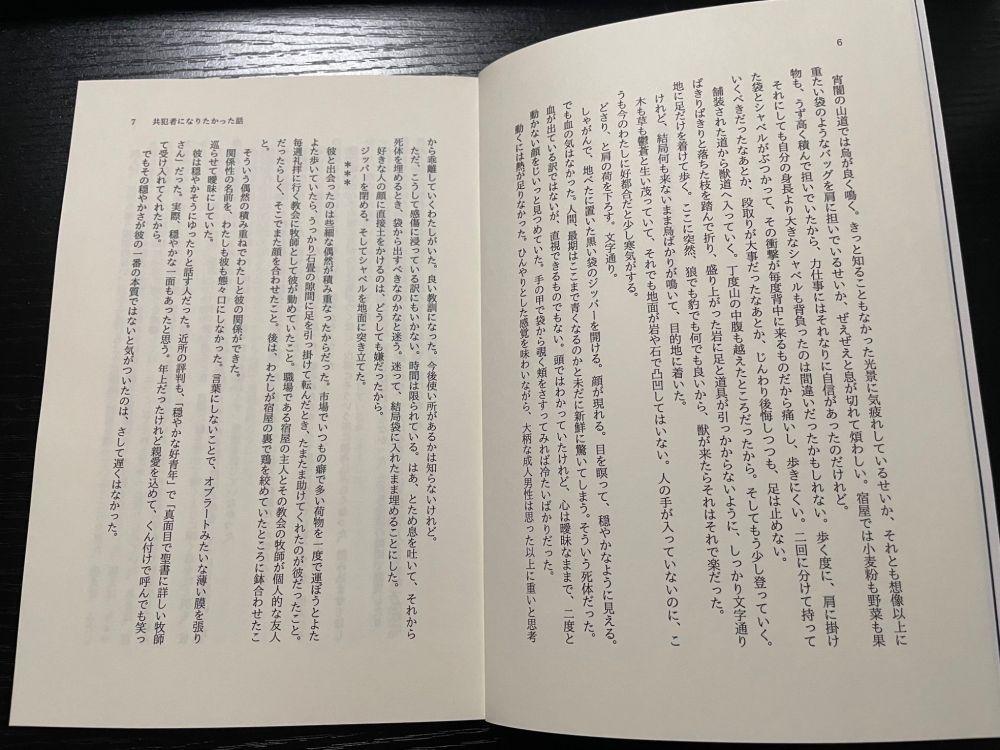
判型:B6/一段組
本文総文字数:17,642字
ページ数:40P
背幅:約3mm
本文用紙:淡クリームキンマリ72.5k
表紙用紙:ペルーラスノーホワイト180k
PP加工:マットPP
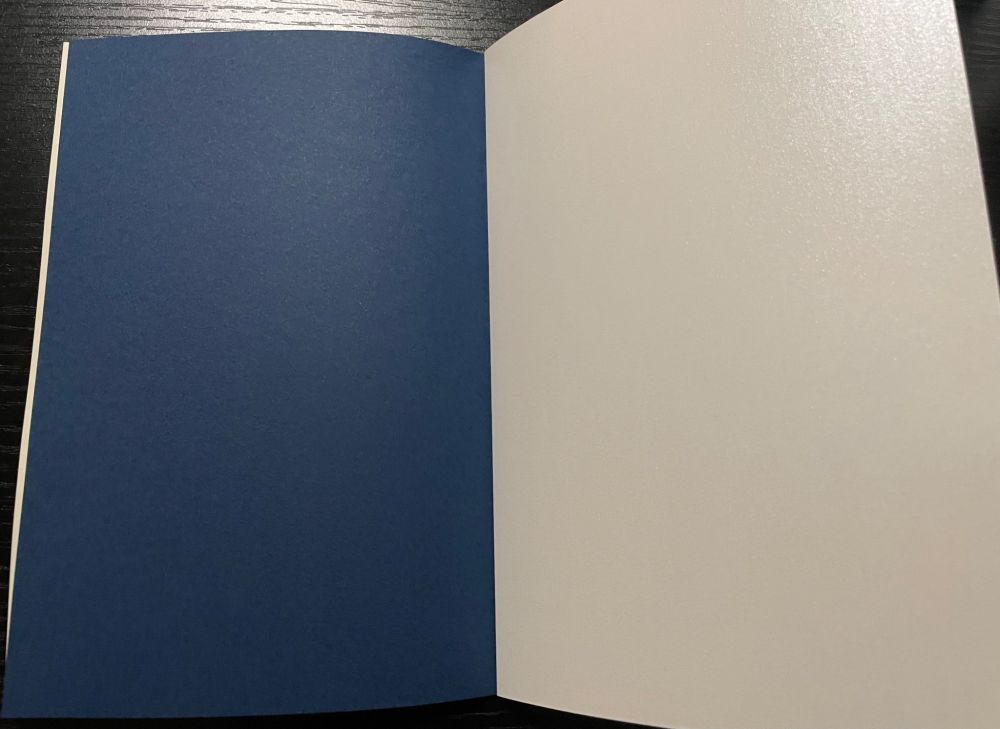
遊び紙:タント70k 群青
表紙カバー:なし
<組版>
作成にはWordを使用。行間は設定反映がやや怪しいかも。
フォント:IPAex明朝
フォントサイズ:8.5pt
1行あたりの文字数:39字
1頁あたりの行数:18字
行間:14pt(固定値)
上:20mm 下:20mm
左:18mm 右:18mm
ヘッダー:上から12mm
<所感>
・表紙は白っぽい白。紙自体がキラキラで綺麗。
・ただし180kは表紙としても分厚く感じる。160k辺りが小説の表紙としては適正か?
・組版は初めての割にまとまった。先人に感謝。
・右(小口)、下は5mm、左(ノド)は3mm短くするともっと好みかもしれない。でも左はこれ以上詰めたら厚みが出たときにきつい気がするので触らないほうが良い気もする。
・字の大きさは非常に好みだが、目が若干滑る。9ptか9.5ptが読みやすそう。
・今度は表紙にアラベールスノーホワイト160kを使ってみたい。二段組もやりたい。言うだけならタダ。
<参考>
B6小説同人誌を推したい/組版・小ネタ集・制作レポ
小説同人誌の作り方を毎回忘れるのでまとめた
《超初心者向け》同人小説本作成ガイド
『腐れる倫理』
個人用に刷った死体を埋めるカップルSS集。
<掲載話>
1.共犯者になりたかった話(IF世界線)
2.腐れない肢体を眺める話(IF世界線)
3.腐れた死体を流す話
<実物写真>
<印刷所(敬称略)・仕様>
印刷所:ちょ古っ都製本工房
判型:B6/一段組
本文総文字数:17,642字
ページ数:40P
背幅:約3mm
本文用紙:淡クリームキンマリ72.5k
表紙用紙:ペルーラスノーホワイト180k
PP加工:マットPP
遊び紙:タント70k 群青
表紙カバー:なし
<組版>
作成にはWordを使用。行間は設定反映がやや怪しいかも。
フォント:IPAex明朝
フォントサイズ:8.5pt
1行あたりの文字数:39字
1頁あたりの行数:18字
行間:14pt(固定値)
上:20mm 下:20mm
左:18mm 右:18mm
ヘッダー:上から12mm
<所感>
・表紙は白っぽい白。紙自体がキラキラで綺麗。
・ただし180kは表紙としても分厚く感じる。160k辺りが小説の表紙としては適正か?
・組版は初めての割にまとまった。先人に感謝。
・右(小口)、下は5mm、左(ノド)は3mm短くするともっと好みかもしれない。でも左はこれ以上詰めたら厚みが出たときにきつい気がするので触らないほうが良い気もする。
・字の大きさは非常に好みだが、目が若干滑る。9ptか9.5ptが読みやすそう。
・今度は表紙にアラベールスノーホワイト160kを使ってみたい。二段組もやりたい。言うだけならタダ。
<参考>
B6小説同人誌を推したい/組版・小ネタ集・制作レポ
小説同人誌の作り方を毎回忘れるのでまとめた
《超初心者向け》同人小説本作成ガイド
備忘
その内、フォレストのサイトの方も枠の大きさとか画像サイズをレスポンシブルにする。
今はスマホ用の設定になっているのでPCでちょっと大きくしたい。
方針としては既存のHTMLのタグにclassをつけて、共通HEADにCSS設定を突っ込んでいけば割と行けるのでは? 対象はTOPだけなので多分何とかなる。
不安なのは良いねとDMの画像のサイズ指定。divにclass突っ込んで、(class名) imgで行けるかな~。
今はスマホ用の設定になっているのでPCでちょっと大きくしたい。
方針としては既存のHTMLのタグにclassをつけて、共通HEADにCSS設定を突っ込んでいけば割と行けるのでは? 対象はTOPだけなので多分何とかなる。
不安なのは良いねとDMの画像のサイズ指定。divにclass突っ込んで、(class名) imgで行けるかな~。
備忘
#CSS
サーバーで別のドメイン持てるみたいだし、そのサブドメインとかでつぶやき毎にいいねボタン(外部配布)が搭載できるか、課題としてやってみようかな。ソースコード解体大好き〜。
ぱっと気になるのが以下。
サーバーで別のドメイン持てるみたいだし、そのサブドメインとかでつぶやき毎にいいねボタン(外部配布)が搭載できるか、課題としてやってみようかな。ソースコード解体大好き〜。
ぱっと気になるのが以下。
- ボタンが押された回数のカウント処理
- つぶやき毎にカウントされるか(投稿AとボタンA、投稿BとボタンBがあるとき、ボタンAを押すと投稿Aの数が増え、投稿Bの数には影響しないようにするには。多分単純に載せるだけだと全部リンクしてボタンAを押した回数が投稿Aも投稿Bにも反映されそう)
- てがろぐでのループ処理の噛み合わせ(負荷とかどうなんだろねという観点、いうて何千何万とやらせるわけではないのであんまりわかんないかも)
備忘
#CSS
HTMLエディタについて。
CSSやHTML弄るときはPC使用、ブラウザはChromeを使っているので、ブラウザの検証ツールでソースコードの仮修正やプレビューができる。
右クリック>検証をクリックするとhtmlのコードが出てきて、htmlタグ毎の制御範囲が色分けされたり、クラスをクリックすればそのクラスを記述したCSS抜粋してくるし、ソースタブクリックすればCSSのコードをいじりながらプレビューも見れるから、てがろぐだけ好きに整備する分には十分なのかも。
ブラウザのウィンドウの大きさをうにょうにょ動かせばモバイル用のプレビューも見れる。デバイスの画面サイズ依存なので、ウィンドウを基準以下にすればモバイル版のcssが反映されるって寸法。
う〜んとなるのは、ソース弄ってプレビュー出てもあくまで仮修正なので本番反映はされないこと。そりゃブラウザで何でもかんでも本番反映できたら困るし。荒らし放題になってしまうよ。
なので修正後コードはページ遷移前にメモ帳にコピペしとかないと全部ぶっ飛んで悲しい気持ちになる(n敗目)
HTMLエディタについて。
CSSやHTML弄るときはPC使用、ブラウザはChromeを使っているので、ブラウザの検証ツールでソースコードの仮修正やプレビューができる。
右クリック>検証をクリックするとhtmlのコードが出てきて、htmlタグ毎の制御範囲が色分けされたり、クラスをクリックすればそのクラスを記述したCSS抜粋してくるし、ソースタブクリックすればCSSのコードをいじりながらプレビューも見れるから、てがろぐだけ好きに整備する分には十分なのかも。
ブラウザのウィンドウの大きさをうにょうにょ動かせばモバイル用のプレビューも見れる。デバイスの画面サイズ依存なので、ウィンドウを基準以下にすればモバイル版のcssが反映されるって寸法。
う〜んとなるのは、ソース弄ってプレビュー出てもあくまで仮修正なので本番反映はされないこと。そりゃブラウザで何でもかんでも本番反映できたら困るし。荒らし放題になってしまうよ。
なので修正後コードはページ遷移前にメモ帳にコピペしとかないと全部ぶっ飛んで悲しい気持ちになる(n敗目)
備忘
#CSS
スマホで投稿の入力フォームを押すと勝手に拡大されて、それを直したいっすね〜。
→iPhone独特の仕様が原因。inputやtextarea(入力フォーム)のフォントサイズが16px未満だとにゅっと大きくなる模様。
対応策は2つ。
①入力フォームのフォントサイズを16px以上にする。
②htmlのmetaタグに以下を挿入。
今回はCSS編集を横着して(ものぐさ!)②で対応し解消したが……。
iPhoneだとサイトのズームが可能だが、Androidだとズーム不可。素直に①にすべきですわ〜!!!
そもそも入力フォームを使うのは基本自分だけ(のはず)なのでフォントサイズが変わってもあんまり関係ないのも相まって、計画性!案件。検索窓がやや怪しいぐらいか。
今手元にpcないので、後日直します。
【備忘】
ソースコード載っけるのに引用を使ってみたら、引用欄も引用欄のフォントも真っ白で草。何も見えない。設定漏れです。ねえ。
あと投稿にhtmlのタグを囲む尖った括弧を使って上記みたいにタグの記述をすると403 Forbiddenエラーが発生する。
原因は括弧で書こうとするとhtmlタグとして認識されるから。でも備忘用にちゃんと書きたい気持ちがあり。
ここはてがろぐのヘルプから単なる文字列にならないか順々にあたってみる。
スマホで投稿の入力フォームを押すと勝手に拡大されて、それを直したいっすね〜。
→iPhone独特の仕様が原因。inputやtextarea(入力フォーム)のフォントサイズが16px未満だとにゅっと大きくなる模様。
対応策は2つ。
①入力フォームのフォントサイズを16px以上にする。
②htmlのmetaタグに以下を挿入。
meta name="viewport" content="width=device-width, initial-scale=1.0, maximum-scale=1.0"
今回はCSS編集を横着して(ものぐさ!)②で対応し解消したが……。
iPhoneだとサイトのズームが可能だが、Androidだとズーム不可。素直に①にすべきですわ〜!!!
そもそも入力フォームを使うのは基本自分だけ(のはず)なのでフォントサイズが変わってもあんまり関係ないのも相まって、計画性!案件。検索窓がやや怪しいぐらいか。
今手元にpcないので、後日直します。
【備忘】
ソースコード載っけるのに引用を使ってみたら、引用欄も引用欄のフォントも真っ白で草。何も見えない。設定漏れです。ねえ。
あと投稿にhtmlのタグを囲む尖った括弧を使って上記みたいにタグの記述をすると403 Forbiddenエラーが発生する。
原因は括弧で書こうとするとhtmlタグとして認識されるから。でも備忘用にちゃんと書きたい気持ちがあり。
ここはてがろぐのヘルプから単なる文字列にならないか順々にあたってみる。
備忘
#CSS
固定がわかりやすくしたい〜。線の色変えるとか、右上にマーク出すとか。
線の色はわかるけど、マークはどうすんだ。CSS知識が……ないです! 調べてね。
→枠線の色を緑に太めにした。あとマークもなんとか出してみた。
マークはcontentで特殊文字を指定して出した。
特殊文字を出すCSSの文は以下参照。今のマークが出てくる。
クラス名は適当。beforeとかあるけどそこら辺全然理解しきれていないので、そこは飛ばして特殊文字だけ出す。
CSSでの特殊文字(に限らず文字全般)の指定はユニコード(16進数)で行う。U+〇〇〇〇の〇〇〇〇の4桁の頭に/をつけてcontentに突っ込むと出た。
htmlだとまた違うらしい。10進数とかなんとか言ってた気がする。htmlで出すぞ、になってから調べる。
ユニコードの確認方法について。Windows11の場合。
①スタートメニュー>すべてのアプリ>windowsツール>「文字コード表」を開く。(タスクバーの検索窓から「文字コード表」を出すでも可)
②プルダウンメニューから使用するフォントを選ぶ。
③文字にカーソルを重ねるとU+〇〇〇〇が表示される。
使いたいマークが決まっているならユニコード出してくれるサイトがあるのでそっち使った方が早い。自分はどのマーク使うかから考えていたので文字コード表使って色々なフォントを見てた。
出力位置はtopとかを弄った。
ちなみにcontentで出した文字はテキスト扱いではないのでコピペとか検索対象にならない。
特殊文字の場合は問題にならないが、通常の文字だと検索引っかからないのってUI的に不便かも、で割と好みが割れるっぽい。
固定がわかりやすくしたい〜。線の色変えるとか、右上にマーク出すとか。
線の色はわかるけど、マークはどうすんだ。CSS知識が……ないです! 調べてね。
→枠線の色を緑に太めにした。あとマークもなんとか出してみた。
マークはcontentで特殊文字を指定して出した。
特殊文字を出すCSSの文は以下参照。今のマークが出てくる。
クラス名は適当。beforeとかあるけどそこら辺全然理解しきれていないので、そこは飛ばして特殊文字だけ出す。
.example{
content: "\2748";
}
CSSでの特殊文字(に限らず文字全般)の指定はユニコード(16進数)で行う。U+〇〇〇〇の〇〇〇〇の4桁の頭に/をつけてcontentに突っ込むと出た。
htmlだとまた違うらしい。10進数とかなんとか言ってた気がする。htmlで出すぞ、になってから調べる。
ユニコードの確認方法について。Windows11の場合。
①スタートメニュー>すべてのアプリ>windowsツール>「文字コード表」を開く。(タスクバーの検索窓から「文字コード表」を出すでも可)
②プルダウンメニューから使用するフォントを選ぶ。
③文字にカーソルを重ねるとU+〇〇〇〇が表示される。
使いたいマークが決まっているならユニコード出してくれるサイトがあるのでそっち使った方が早い。自分はどのマーク使うかから考えていたので文字コード表使って色々なフォントを見てた。
出力位置はtopとかを弄った。
ちなみにcontentで出した文字はテキスト扱いではないのでコピペとか検索対象にならない。
特殊文字の場合は問題にならないが、通常の文字だと検索引っかからないのってUI的に不便かも、で割と好みが割れるっぽい。
やりたいこと一覧(適宜更新)
終わったこと
metaタグ修正
inputは検索窓が妙に大きくなってう~ん、になったのと、入力したらすぐ検索ボタン押すだろうということで一旦指定無しに。
Androidのズームが可能になった。
引用欄のcolor設定
画像のレスポンシブル化
%にするのがミソだったんすね〜。あと結局maxついているのとついていないのの差があんまり分からない。max-widthが最大描写範囲(デバイスごとに小さくなったりする)ならmax-widthを48%、heidhtをautoとかじゃ駄目なんか? 100%にする理由なくないか?
何でこれにしたんだっけ。(2025/8/22)
→width:48%で画像サイズの48%を出力範囲の固定値とする。maxで出力範囲の最大値を100%にすることで画像サイズが小さかったり大きかったりしても同じサイズの正方形になるから以下のソースにしてたっぽい。
(max-width:48%のみだと、大きい画像と小さい画像が混合している場合、デバイスの画面が大きいと、小さい画像は原寸大で表示されて幅調整がきかないけど、大きい方は原寸大ではなく通常通り幅調整がきき、出力サイズがバラバラになる。要はサイズバラバラの画像を複数枚投稿した時に綺麗に正方形が並んでくれない。普段からそこら辺適当な自分には致命的。maxは原寸大で出せるときは原寸大、最大値を超えたとき初めて幅調整をするのでこんな挙動になるっぽい)
理屈は分かったけど固定値48%で最大値100%って直感に反するので直す。やるとしたら固定値100%の最大値48%ってことで、うりうり画面サイズ変えて検証してみたら問題なさげ。
あとheightについてはautoにしても問題なかった。
Javascriptポチポチするときに、修正版に修正する。(2025/8/22)
アコーディオンメニューの装飾
details[open]がラベルを押下後の装飾指定になる。
右下にページ上端・下端に行くボタンを作る
参考サイトはページ上端に戻るボタンや、下端に進むボタンの簡単な作り方 - Sakura scope。
ソースは以下。
htmlの括弧を文字列に変換する方法
多分根本的な原因はWAFルールの設定辺りかな~という認識。ざっくり調べたらscriptタグやmetaタグ、JAvascriptのon系列は、WAFルール(自分の場合はXSS辺りかも)で検知→403エラーになる……らしい。なのでサーバーパネルで設定しているセキュリティの設定周りが原因だと思われる。
そこらへん自作ルールが作れるほどの知識がないので適宜全角文字を使うのが早そう。元々自分用メモだしね~。
エスケープ処理はツール使って変換可能な模様。使用ツールは以下。
サルワカ道具箱 HTMLエスケープ・ツール